


How to Safely Move Your Funds From MyNearWallet Before It Shuts Down
MyNearWallet shuts down on October 31, but your assets are stored on-chain, so all you need is a new way to access them. To move your funds safely, restore your wallet in a new non-custodial wallet with your recovery phrase, or create a new wallet and send your assets to it, starting with a small test amount.
Key Takeaways
- MyNearWallet closes on October 31. Your assets stay on the blockchain, so the shutdown itself does not remove them.
- If you move to a non-custodial wallet, you can keep the keys from your current wallet and transfer your assets with ease.
- Keep your MyNearWallet recovery details until every balance has arrived, and never share a recovery phrase with anyone.
What Is Happening With MyNearWallet?
NEAR Protocol announced in its official channels that MyNearWallet will be sunset on October 31. The announcement stresses that assets are stored on-chain and that users only need a new way to access them.
According to the official MyNearWallet sunset page, beginning in October 2026 certain wallet functionality may be restricted or removed. Users will continue to have access to migration and recovery tools, but MyNearWallet will gradually move toward a recovery-focused experience rather than a fully operational wallet.
What Are the Best MyNearWallet Alternatives?
The best alternative is the one that makes the switch smooth, so that you notice as little change as possible. MyNearWallet is non-custodial, so the most seamless move is to another non-custodial wallet: you keep holding your own keys, and your recovery phrase works the way you are used to. A custodial service is also possible, but it changes who holds your keys, so this guide focuses on the options that keep your current experience.
Two options fit best:
A NEAR account. NEAR recommends moving to a near.com account. According to NEAR's announcement, it covers swaps, payments and earning across 30+ chains and is controlled with passkeys. NEAR has published a step-by-step guide for moving into it.
Another non-custodial wallet. Any non-custodial wallet that supports the assets you hold and lets you restore from a recovery phrase can take over. A multi-chain wallet such as NOW Wallet is convenient if you do not want to juggle several apps: it supports NEAR along with 70+ blockchains and 1500+ tokens, so your other holdings can live in the same place. NOW Wallet runs on mobile and desktop, and it keeps your private keys and recovery phrase on your device behind a PIN and Face ID. You can restore an existing wallet with its recovery phrase or create several wallets, for example one for NEAR and one for everything else. If you later want to add funds or exchange, you can buy crypto with a bank card through partner providers and swap it inside the app.
How to Safely Move Your Funds From MyNearWallet to NOW Wallet
There are two ways to do it. Restoring with your recovery phrase is the faster one, because the same keys open the same account in the new wallet. Sending to a new wallet gives you fresh keys.
Option 1: Restore Your Wallet With Your Recovery Phrase
With this route you do not need to send anything: once the wallet is restored, the balances tied to your keys appear in NOW Wallet, so there is no need to move each asset one by one.
- Install NOW Wallet from an official source. Start from the NOW Wallet website and check the developer's name before installing. Fake wallet apps with near-identical names do appear in app stores.
- Choose to restore an existing wallet. Select the option to import a wallet instead of creating a new one.
- Enter your MyNearWallet recovery phrase inside the app. Type the words in the exact order, in this app only. Never enter the phrase on a website or give it to anyone who says they are support.
- Check your balances. Compare them with what MyNearWallet shows before you stop using the old wallet, and keep your recovery phrase written down offline. Our guide on how to store a seed phrase securely covers the options.
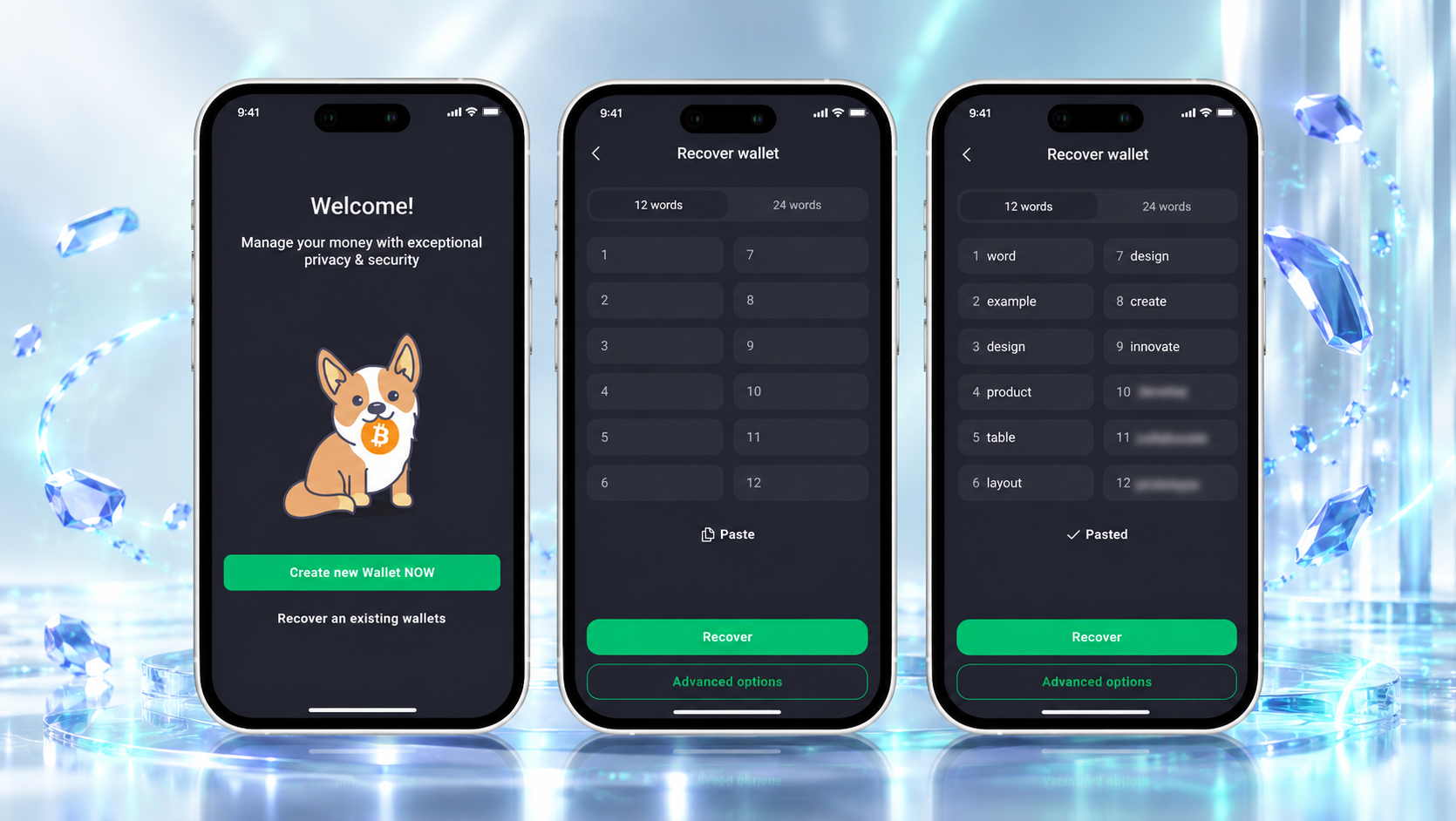
Option 2: Create a New Wallet and Send Your Assets
Choose this route if you want new keys, for example because you have kept your old phrase somewhere you no longer trust.
- Create a new wallet in NOW Wallet and write down the new recovery phrase offline.
- Open the asset you want to move in the new wallet, copy its receiving address and check it character by character. Make sure the network matches.
- In MyNearWallet, send a small test amount and wait for it to arrive.
- Send the rest, one asset at a time, and let each transfer finish before the next.
- Check every balance in the new wallet, and keep your MyNearWallet recovery details until all of them have arrived.
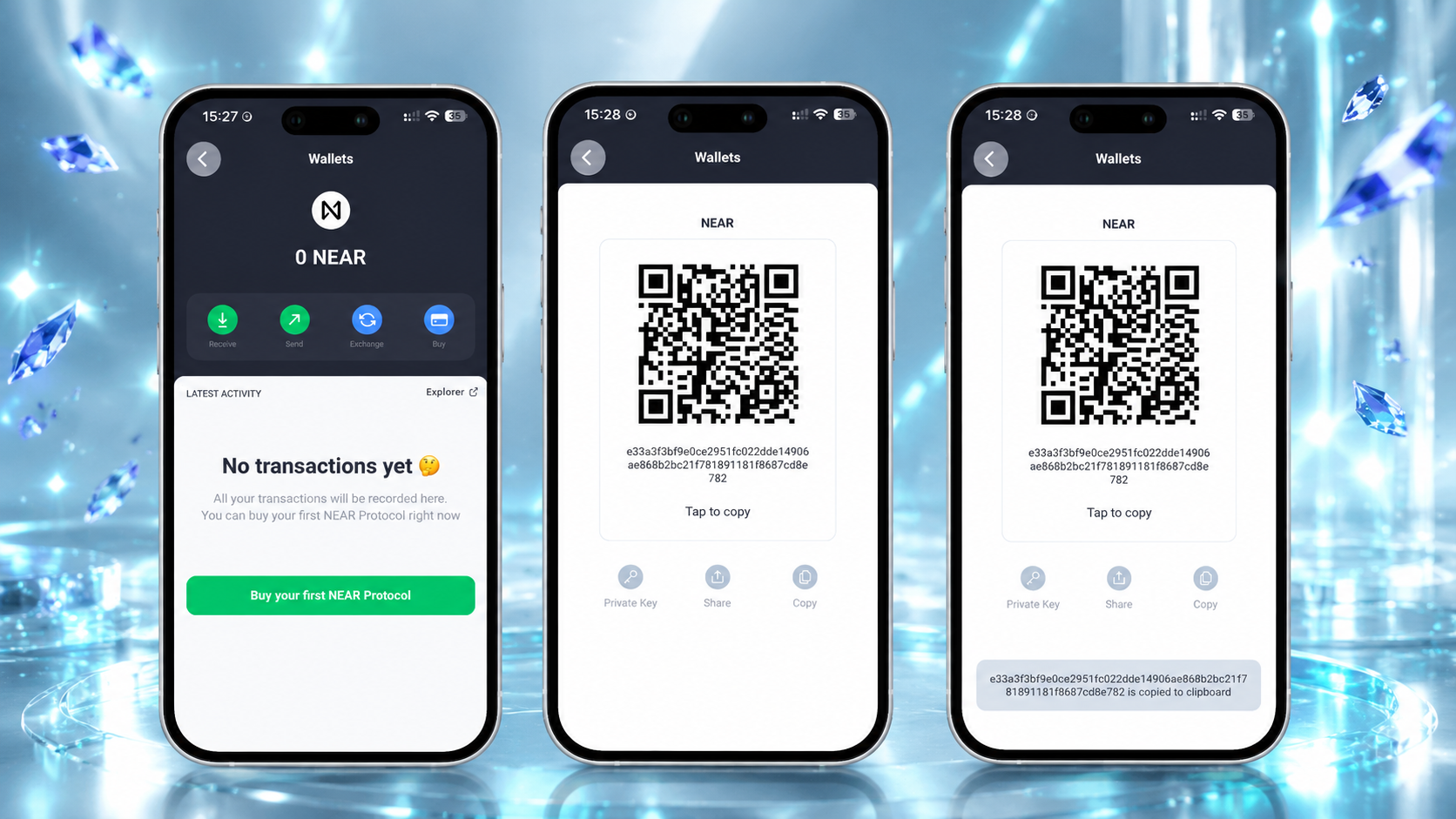
How Do You Keep the Move Secure?
- No one will ever ask you for anything sensitive, including your recovery phrase or private key, and that includes the NEAR Foundation and MyNearWallet.
- Type official links yourself instead of following links in messages: fake migration guides are common when a wallet shuts down.
- Enter a recovery phrase only into a wallet app you installed from the official source.
- Protect the new wallet with a PIN and biometrics, and read our guide to crypto wallet security best practices for the habits that matter after the move.


