


Keep large holdings offline in a hardware wallet and everyday funds in a hot wallet. Lock both your app access and your transactions behind biometrics or a PIN, never enter your seed phrase anywhere online, and buy hardware only from official sellers. Treat any message asking you to "verify" or "restore" your wallet as an attempted theft, no matter how official it looks.
Key Takeaways
- Wallet security isn't one feature you switch on. It comes down to where your keys live and whether your everyday habits around them hold up.
- Most thefts don't break cryptography. They break people, through phishing, fake support agents, and malicious approvals.
- Biometric and PIN protection should cover both opening the app and confirming each transaction, not just one of the two.
- Buying a hardware wallet from an unofficial seller creates risk before you ever switch the device on.
- Every extra thing your crypto device does – email, browsing, downloads – widens the surface an attacker can reach.
What Is Crypto Wallet Security?
Crypto wallet security is the set of habits and tools that keep your private keys out of anyone else's hands. A wallet doesn't hold your coins; it holds the keys that prove those coins are yours, which is why key protection is the whole game. Your public key works like an account number you share freely. Your private key works like the password that moves money, and anyone who gets it can empty the wallet without needing to break anything.
The tension that shapes every decision here is simple. As KG, founder of Internet Money, put it during ChangeNOW's X Space on self-custody:
"That's the unfortunate thing, security and convenience almost always rival each other."
Most of the advice below is about finding the point where you're protected without making your own setup so painful you stop following it.
Hot Wallet vs Cold Wallet: Which Is More Secure?
Cold wallets are more secure; hot wallets are more usable. The practical answer for most people is both, split by purpose.
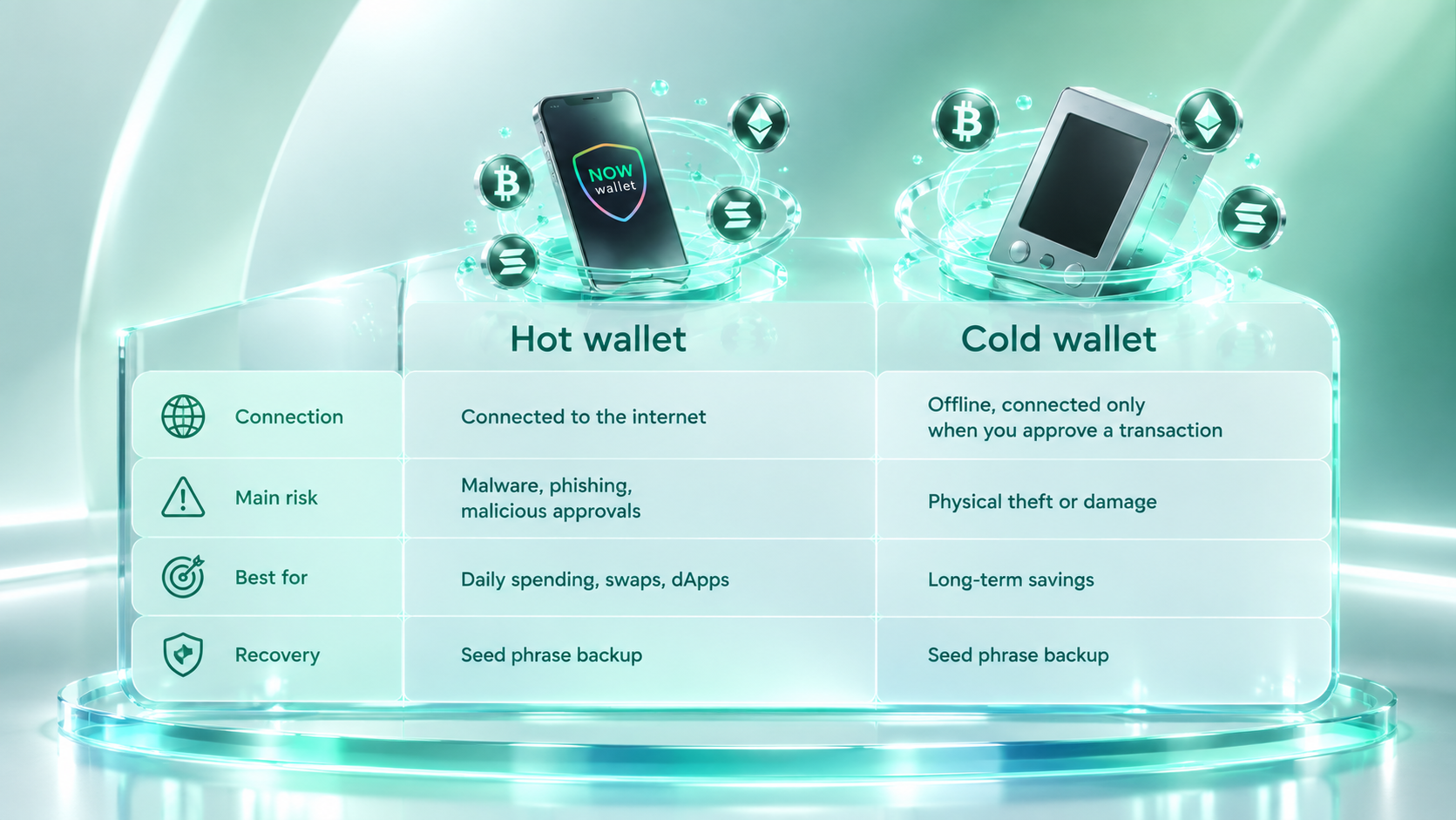
Keeping spending money in a hot wallet and savings in cold storage limits how much any single compromise can cost you. For a fuller breakdown of which wallet type is which and how they actually differ, see our guide.
How to Protect Your Seed Phrase and Private Keys
Store your seed phrase offline, on a physical medium, in more than one location, and never type it into anything connected to the internet. The short version of the rules:
- Write it down or stamp it into metal. Don't photograph it.
- Keep at least two copies in separate places.
- Never enter it on a website, in a chat, into a support form, etc.
- Nobody legitimate will ever ask for it.
We cover the full comparison of storage methods, mnemonic techniques, and what to do with an old phrase in our guide on how to store a crypto seed phrase securely.
How to Secure a Crypto Wallet With Two-Factor Authentication
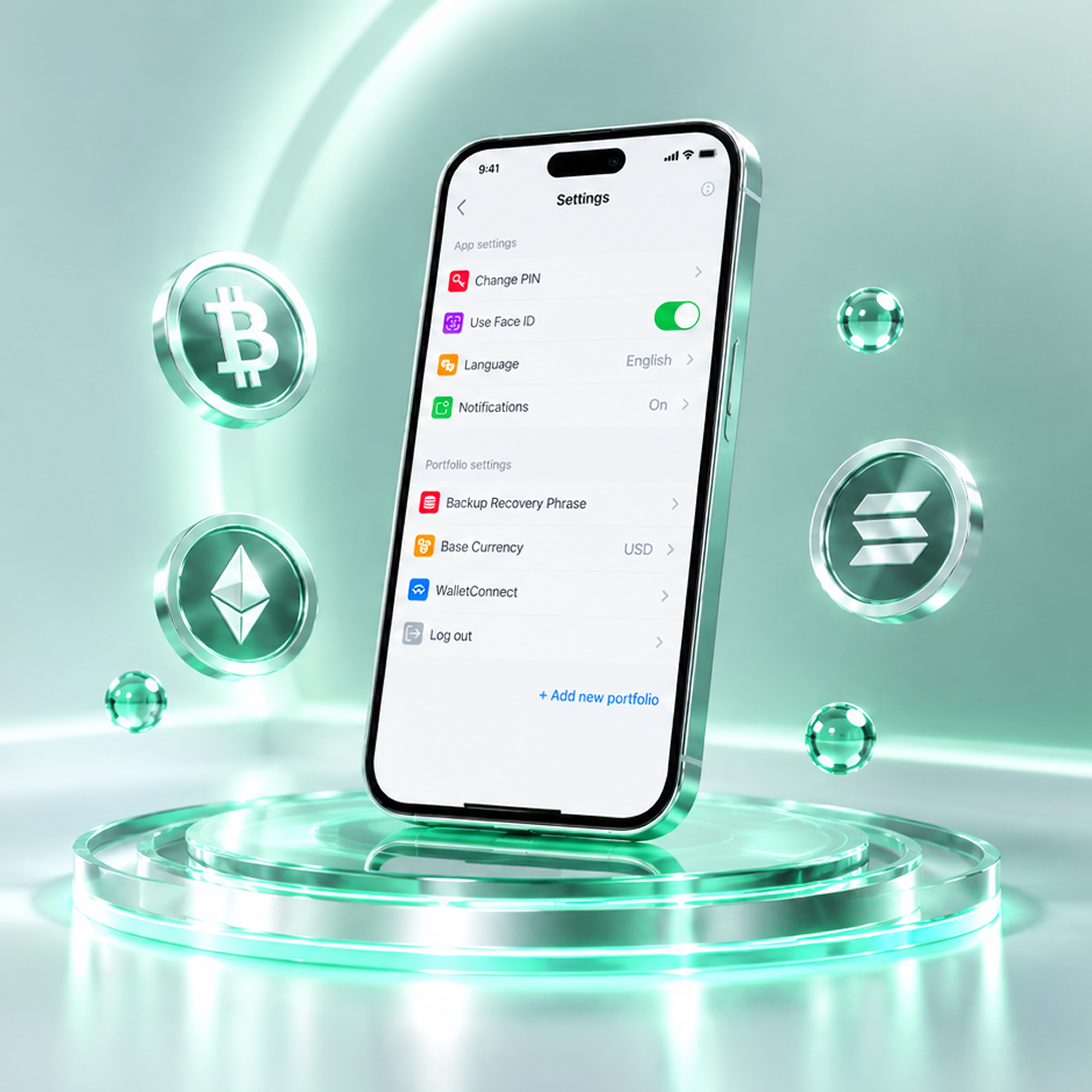
Turn on every authentication layer your wallet offers, and don't stop at the app's front door. Two-factor authentication matters because a single barrier between an attacker and your funds is never enough on its own. A stolen or unlocked phone shouldn't be the same thing as an open wallet.
Where biometrics are available, use them. Face ID or fingerprint recognition is faster than typing a password and far harder for someone else to bypass. What matters just as much is where that protection applies. NOW Wallet uses Face ID for opening the app and to confirm each transaction, so an unattended unlocked phone still can't move funds without a second deliberate step from you.
How to Recognize and Avoid Crypto Wallet Phishing Scams
Phishing is now the dominant way individual holders lose crypto, and the scams target your judgment rather than your software. Reported crypto scam losses reached roughly $17 billion in 2025, with impersonation scams growing more than 1,400% year over year. The most expensive single case on record happened in January 2026, when a holder handed a 12-word recovery phrase to someone posing as Trezor support and lost roughly $282 million. No device was hacked. The attacker asked, and the victim answered.
Approval-based scams work differently but end the same way. As James, Business Development Manager at QubitX, described during ChangeNOW's Hot vs Cold Wallets X Space:
"There have been a lot of phishing websites and a fake smart contract. Like when you give it a permission, it will still steal your funds no matter if you are using hot wallet or cold wallet."
A hardware wallet doesn't save you from a signature you authorized yourself.
What actually protects you:
- Assume any unsolicited message about your wallet is fake until proven otherwise.
- Reach support through the official app or site, never through a link someone sent you.
- If someone claiming to be from a support team DMs you first, it’s a scam.
- Read what you're signing before approving, especially permission requests.
- Download wallets only from official app stores or the provider's own site.
How to Safely Buy and Set Up a Hardware Wallet
Buy directly from the manufacturer, never from a marketplace reseller. A tampered device can be prepared with a pre-generated seed phrase that the seller already knows, which means your funds are compromised the moment you fund the wallet.
The Ledger–CryptoBilis investigation shows why the supply chain itself matters when buying hardware wallets.
A few steps worth taking:
- Order from the manufacturer's official store, not a third-party listing.
- Consider shipping to a pickup point rather than your home address. If the vendor suffers a data breach, your address isn't part of it.
- Check packaging and tamper seals on arrival.
- Generate the seed phrase on the device yourself. A wallet that arrives with a phrase already written down is a scam.
- Send a small test amount and confirm you can restore from backup before moving anything significant.
For very large holdings, multisig wallet security adds another layer by requiring several independent keys to approve a transaction, so compromising one device isn't enough. We covered that in depth in our guide on storing large amounts of Bitcoin.
Should You Use Multiple Crypto Wallets?
Yes, for most active users. Splitting funds across wallets means one compromise doesn't reach everything you own. A common setup is a hardware wallet for savings, a main hot wallet for regular activity, and a separate low-balance wallet for connecting to unfamiliar dApps.
NOW Wallet supports multiple wallets within one app, so separating a trading balance from long-term holdings doesn't mean managing several separate installs.
Common Crypto Wallet Security Mistakes to Avoid
Most crypto wallet hacks trace back to ordinary habits rather than sophisticated attacks. The recurring ones:
- Using the same device for everything. As Albert Quehenberger, CEO of AQ Forensics and a ChangeNOW Ambassador, noted from his forensic casework: "Systems used for significant crypto holdings are often also used for everyday email, browsing, downloads and normal office activity. Every additional use increases the attack surface."
- Not checking the destination address. Clipboard malware silently swaps a copied address for the attacker's. Address poisoning does the same thing by planting a look-alike address in your transaction history. Verify the full address, not just the first and last characters.
- Running outdated software. Wallet and OS updates ship security patches; skipping them leaves known holes open.
- Accessing wallets over public Wi-Fi. Use a trusted network, or a VPN if you have no choice.
- Assuming a hardware wallet makes you immune. It protects keys from remote extraction. It does nothing about a transaction you were tricked into approving.
How NOW Wallet Approaches Wallet Security
NOW Wallet builds the practical layers of crypto wallet security into the app itself. Face ID/fingerprint biometrics and PIN confirmation sit between an unlocked phone and an outgoing transaction, so a stolen device never becomes a stolen balance. Integrated AML screening lets you check a receiving address for exposure to illicit activity before you send, which catches a category of risk most wallets leave entirely to the user. Private Send adds a layer of transaction privacy through smart routing – because privacy shouldn’t be an afterthought. And because recovery runs on a standard mnemonic phrase the wallet never stores or sees, your access belongs to you alone – not to a device and not to us.
That’s what serious wallet security looks like: invisible when you don’t need it, uncompromising when you do.


