


Quick answer: To check the crypto market fast: open ChangeNOW AI Widget, glance at BTC dominance and Fear & Greed, use Quick Actions for top gainers/losers and news, then type your own question in Deep Research mode for a full breakdown.
Before you've typed a single word, ChangeNOW AI Widget already knows what you need: "Market, tokens, news, on-chain, sentiment."
Disclaimer: ChangeNOW AI Widget delivers an AI-generated analysis. It should not be treated as financial advice. Always DYOR before making any decisions. The widget aims to provide quick analysis, it is not a decision-maker tool.
How to use the AI Widget screen by screen, and a real review from our content manager, Justina Kutz, who uses the widget daily for her work.
1. Read the dashboard
The moment the AI Market Intelligence widget opens, all important crypto market information is there:
- BTC dominance – a single bar showing BTC vs. altcoins. One glance tells you whether money is rotating into Bitcoin or spreading into alts.
- Fear & Greed – a gauge with a number and current mood label. This is your "should I be worried" check before you continue.
- Top gainer today – ticker, rank, % move, price, mini chart.
- Biggest drop today – same format for worst performing currency.
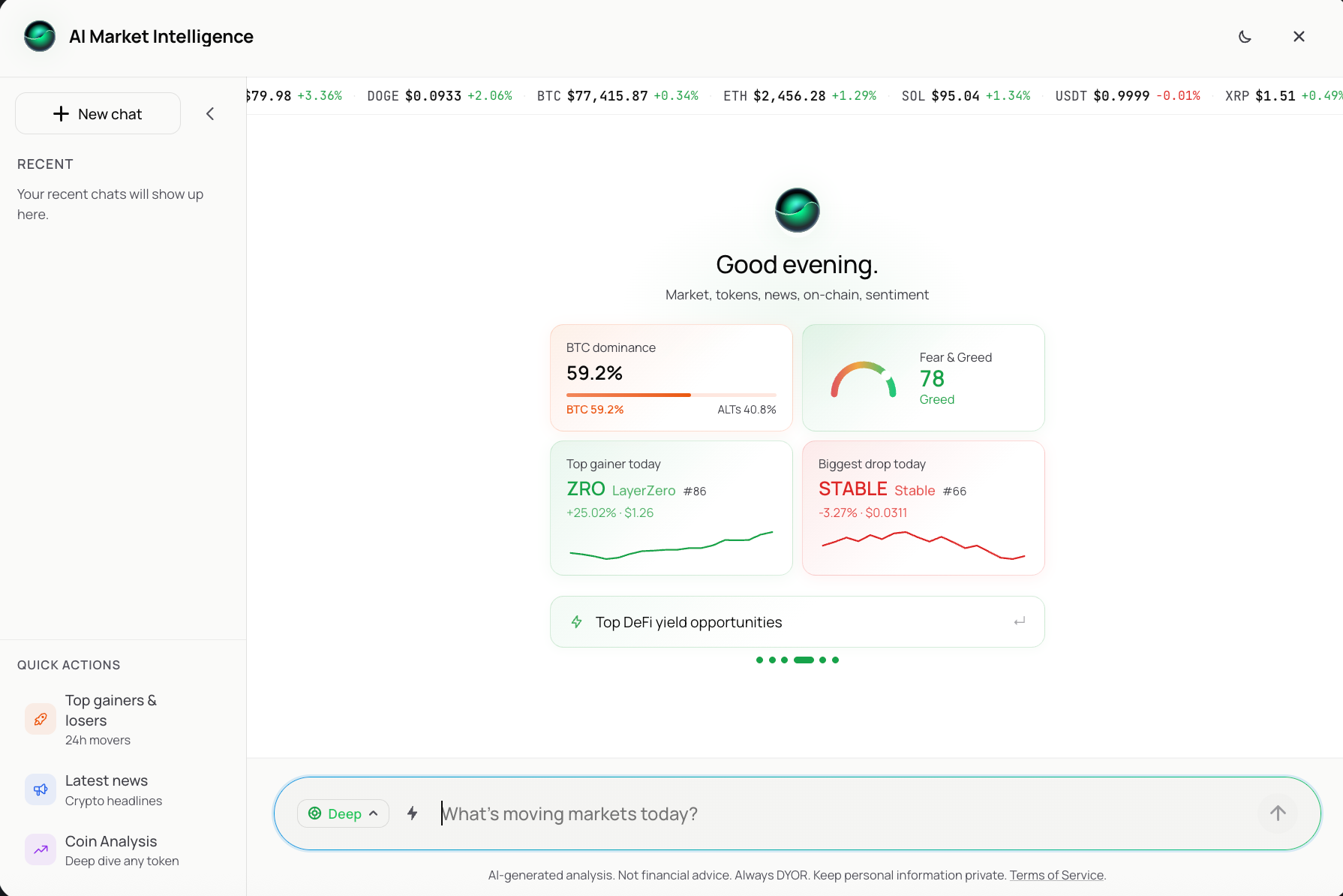
None of this required a prompt. A 5-second read that tells you today's market mood.
Time spent: 25 seconds.
2. Use Quick Actions
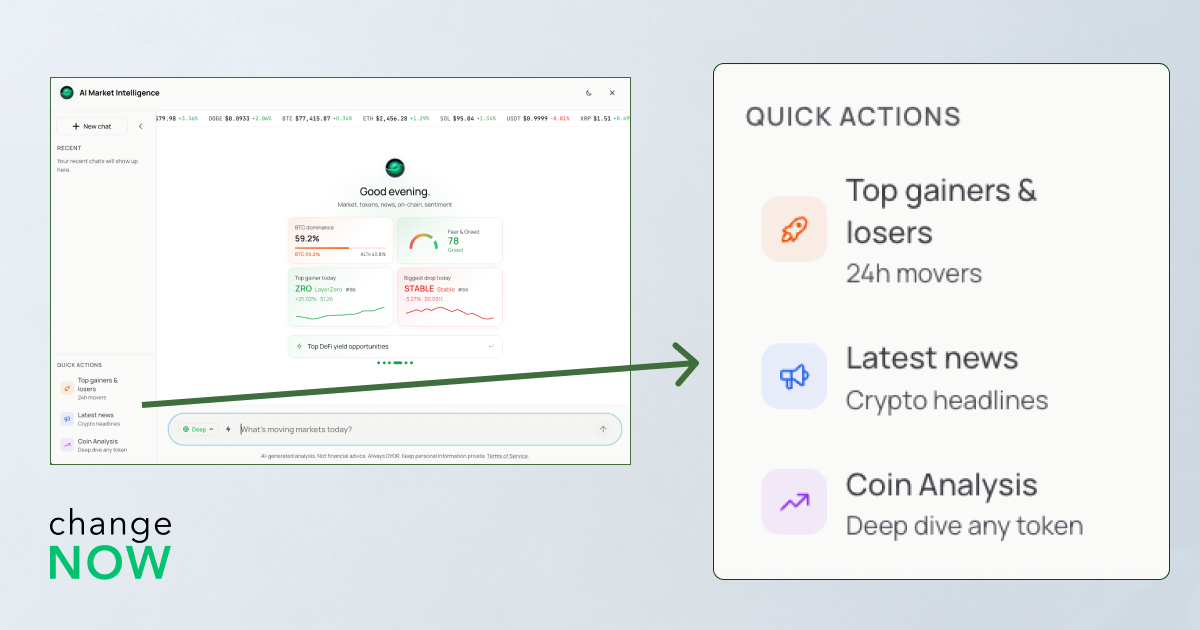
On the left sidebar, three shortcuts skip the typing entirely:
- Top gainers & losers – 24h movers, ranked.
- Latest news – crypto headlines, filtered and current.
- Coin Analysis – deep dive on any token you name.
Under market info you can click at any of quick topics from the bar:
- Weekly crypto news roundup
- Fear & Greed Index breakdown
- Ethereum ecosystem update
- Bitcoin price analysis
- What's moving the market today?
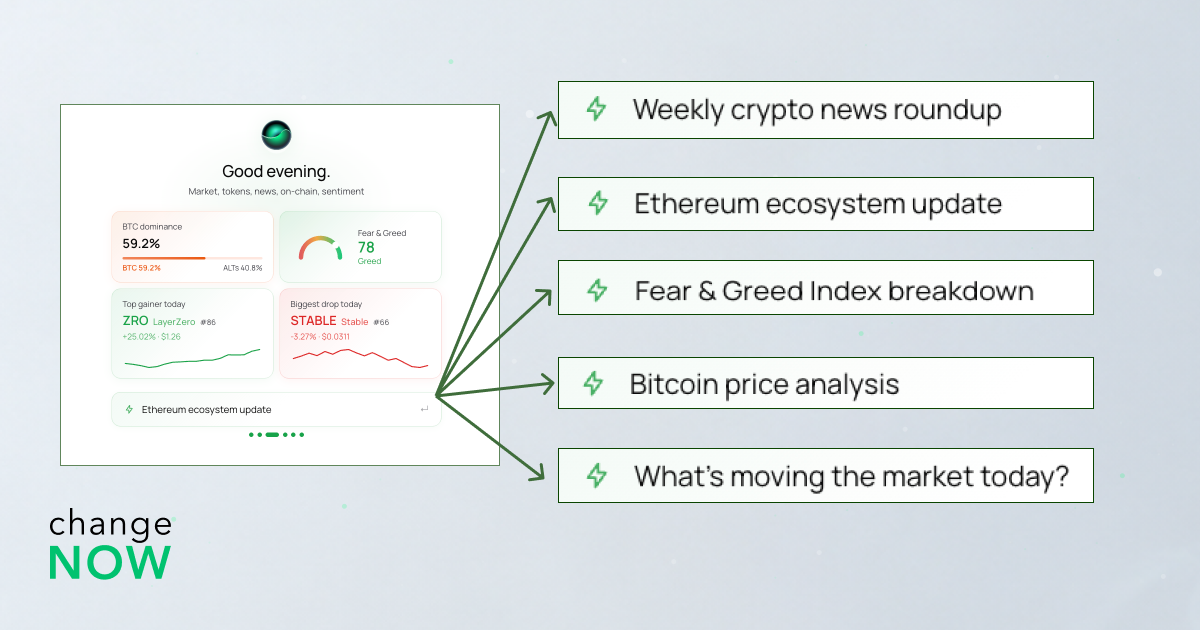
If one matches what's on your mind, tap it. If not, keep swiping.
These exist because we all just want the answer to a question everyone asks. Clicking is faster than typing "what are today's biggest movers" from scratch.
Time spent: 60 seconds.
3. Pick Quick or Deep Research right from the chat bar
Next to the input field is a small toggle labeled Deep (with a dropdown, so you can switch to a lighter mode). This matters because it controls how much work happens behind your question:
- Leave it on Deep Research when you're about to make a decision or need full analysis for your report.
- Switch it off when you just want a fast check and don't need the full breakdown.
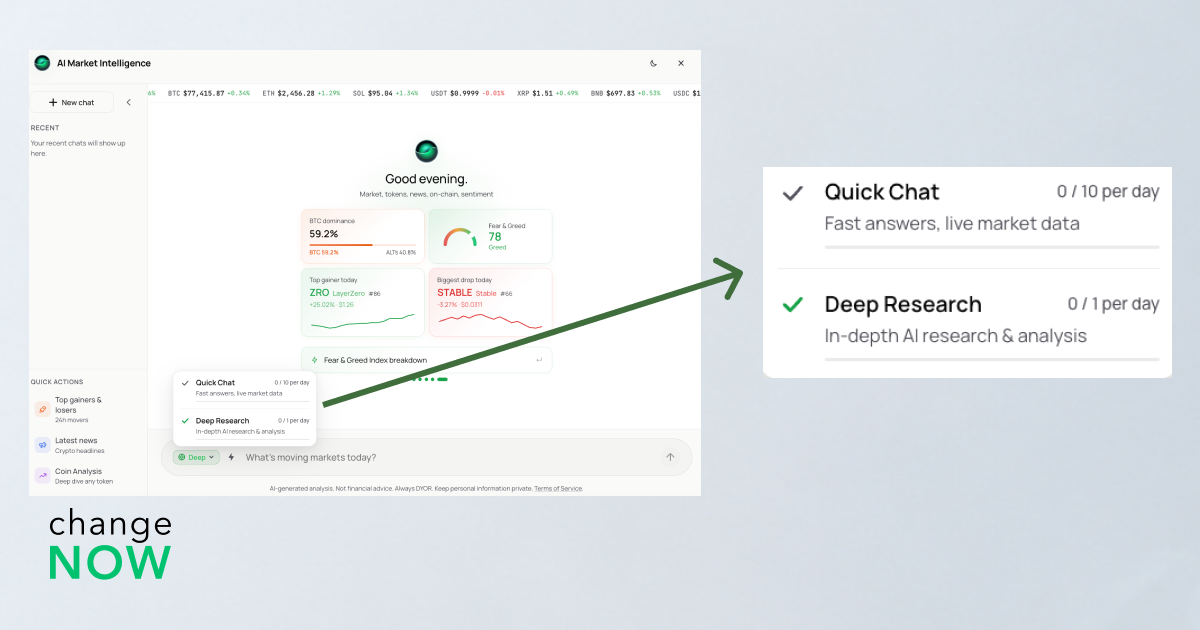
"I keep it on Quick mode most of the day for a fast pulse check, but the second I'm putting together something bigger, like a market roundup, I turn on Deep Research mode. It saves me from having to stitch together five different sources myself." – Justina shares
The toggle sits right where you type, so you never have to leave the conversation to change modes.
Time spent: 5 seconds.
4. Ask your own question
The placeholder text – "What's moving markets today?" – is a hint, not limiting you. Type anything from a ticker to a specific event.
"I'm looking for a sentiment shift I can add into a piece I'm already writing. I'll type something specific, like how a token's been moving over the past week, and pull whatever's useful straight into my notes." – Justina says.
Your past questions are saved under "Recent" in the sidebar if you've logged into your Pro account.
Time spent: 90 seconds (including making up a question).
For a closer look at what's actually happening under the hood — 11 live data sources feeding into GPT — we broke it down in our full widget review.


