


Crypto phishing emails are no longer easy to recognize by an obviously fake sender address. Attackers can imitate legitimate services convincingly and, in rare cases, abuse real communication infrastructure.
The safest approach is to judge an email by what it asks you to do, not only by how authentic it looks. Requests for a seed phrase, private key, wallet backup, unexpected software installation, fund transfer, or unexplained wallet signature should immediately trigger additional verification.
Key Takeaways
- Modern crypto phishing emails may look professional and can sometimes arrive through legitimate communication infrastructure.
- Urgency, fear, unexpected software downloads, wallet connections, transfers, and signature requests are stronger warning signs than poor grammar.
- Never share a seed phrase, recovery phrase, private key, or wallet backup because of an email.
- For wallet or security alerts, open the official app or website independently instead of relying on the link in the message.
- Clicking a phishing link does not automatically mean your wallet is compromised. The risk becomes serious after sensitive information is disclosed, malware is executed, or a transaction, permission, or signature is approved.
- If a seed phrase or private key is exposed, treat the wallet as compromised and move remaining assets to a newly generated wallet from a clean, trusted device.
What Does Crypto Phishing Look Like Today?
Crypto phishing is designed to make users reveal sensitive information or authorize an action that gives an attacker access to their assets. Modern campaigns often imitate security warnings, account notifications, wallet updates, or support messages. The message itself may look completely professional, so behavioral warning signs matter more than visual quality alone.
Older phishing advice often focused on spelling mistakes and suspicious-looking email addresses.
Those checks are still useful, but they are no longer enough.
AI tools make polished phishing messages cheaper and easier to produce. Attackers can recreate branding and personalize messages at scale.
Albert Quehenberger, CEO of AQ Forensics and ChangeNOW Ambassador, explains:
“The strongest red flags are usually urgency, fear, and unusual requests. If a message pressures you to act immediately, move funds, install software, connect a wallet, or unexpectedly switch to another communication channel, you should become cautious. AI has made phishing cheaper, easier to scale, and much more professional, so poor grammar or bad design are no longer reliable warning signs.”
That makes one question particularly useful:
What is this message trying to make me do?
How the Trezor Phishing Attack Bypassed Normal Trust Signals
The September 2026 Trezor phishing campaign showed that a malicious message can look legitimate even when users perform normal sender checks. Attackers gained access to infrastructure operated by Brevo, a third-party newsletter provider used by Trezor, and distributed a fake security warning through an authorized communication channel.
On September 9, approximately 347,000 newsletter addresses received a message claiming there was a critical vulnerability affecting STM32 microcontrollers used in Trezor hardware devices.
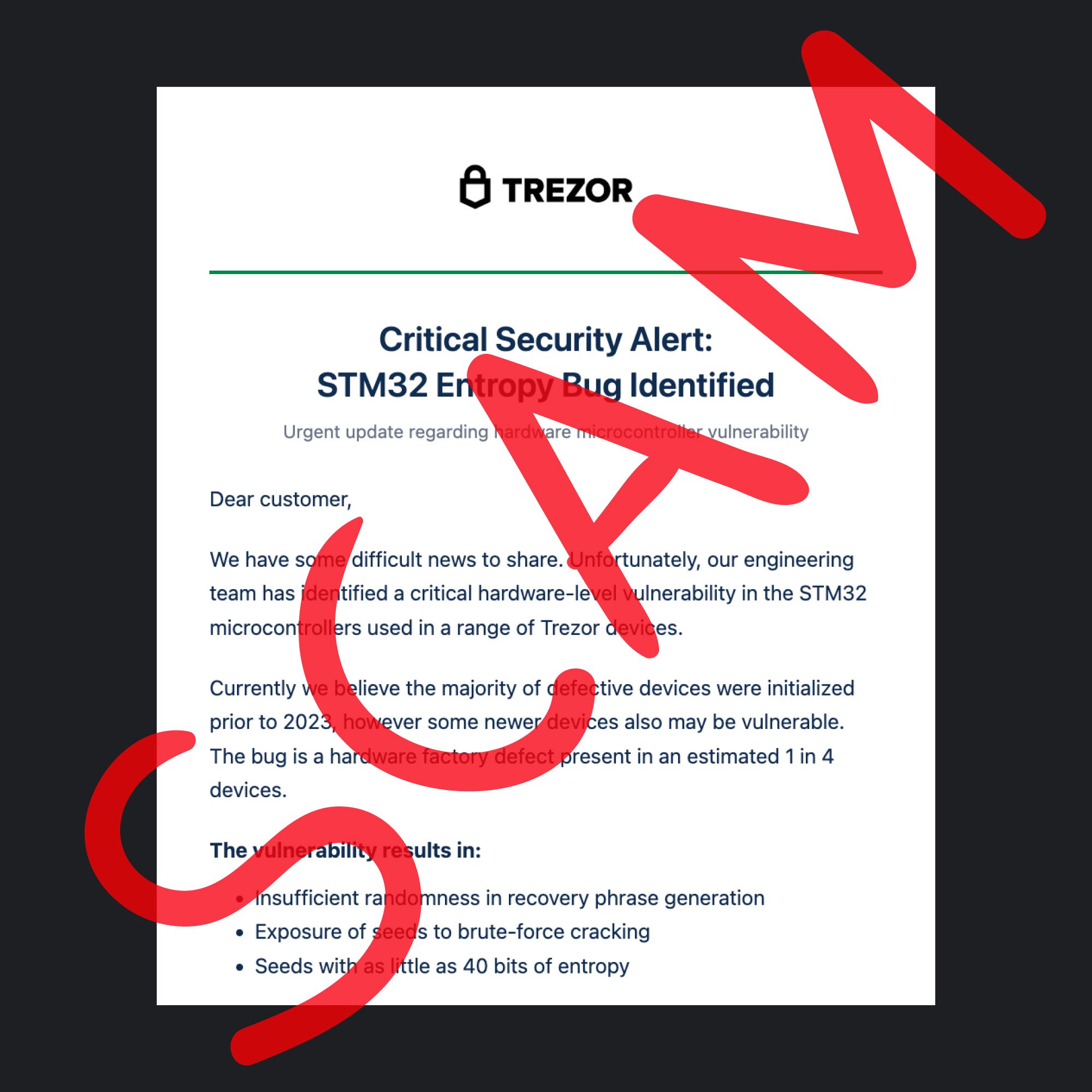
The warning attempted to persuade users that their wallet backups were at risk and directed them toward malicious content. The attack ultimately tried to obtain users' recovery information.
Trezor later confirmed that its devices and internal systems had not been compromised.
Around 2,500 people accessed the malicious link before the domain was disabled. Trezor said the phishing domain was taken down within roughly 20 minutes.
The case matters beyond Trezor because the message was not simply sent from an obvious imitation domain.
Attackers abused infrastructure that was authorized to distribute genuine newsletters.
Why SPF, DKIM, and DMARC Are Not Enough
Email authentication can help identify spoofing, but it cannot prove that every message sent through an authorized system is safe.
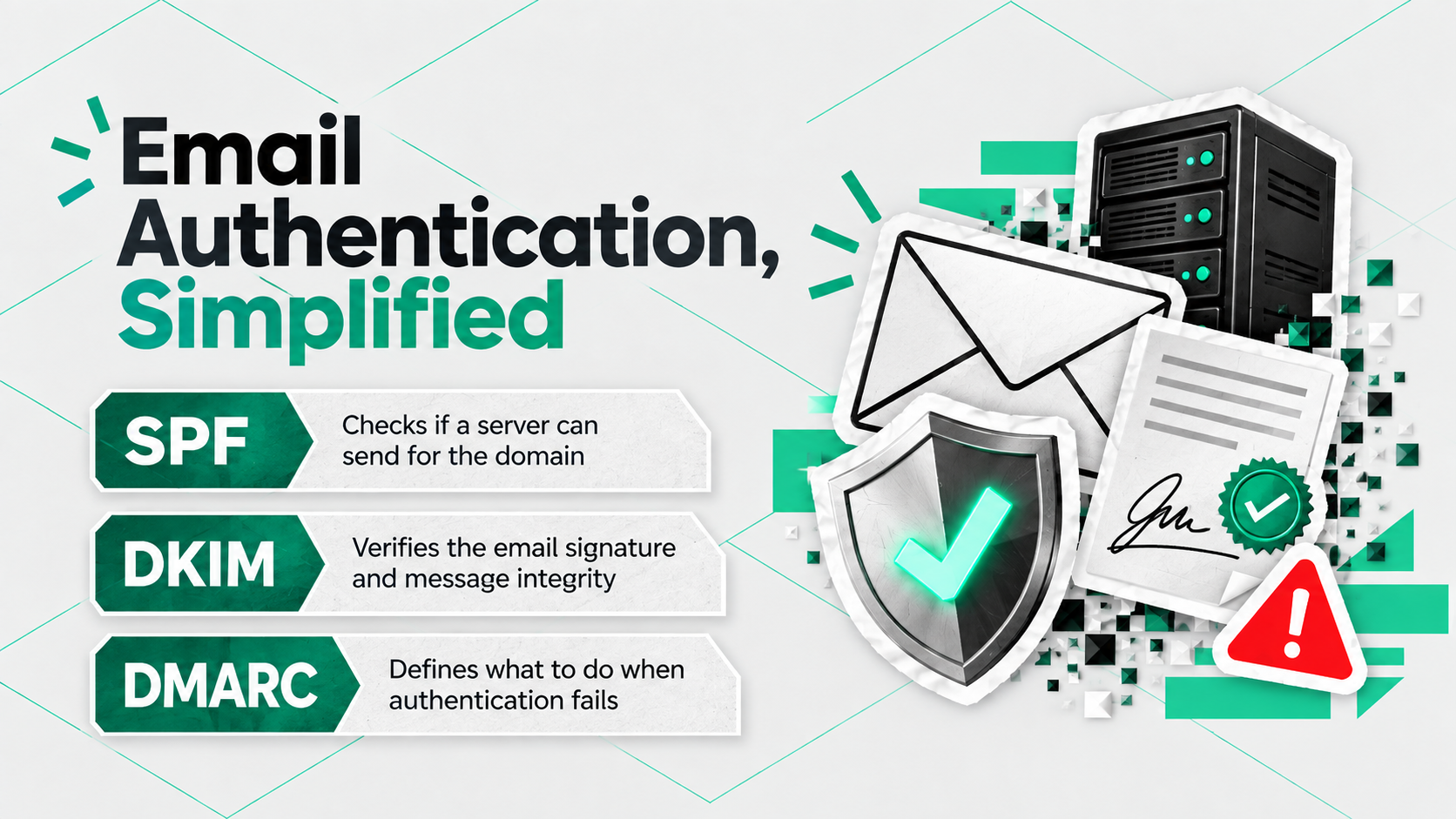
If an attacker gains control of an authorized mailing system, those checks may still succeed.
The delivery path can be legitimate while the request inside the email is malicious.
How to Spot a Crypto Phishing Email
Look for mismatches between the message, the action it requests, and the way a legitimate company would normally communicate. Check the sender and destination links, but pay particular attention to urgency, requests for wallet secrets, unexpected downloads, transfers, and signatures. Verify sensitive requests independently before acting.
Check the Sender and Reply-To Address
Do not rely on the display name alone.
Inspect the full sender domain and, where possible, the Reply-To address.
Quehenberger says:
“Users should check the actual sender domain and the Reply-To address. For example, an email may appear to come from security@company.com while replies are actually directed to a completely different address.”
A mismatch is a clear warning sign.
However, a matching sender does not automatically make the message safe, as the Trezor campaign demonstrated.
Treat Urgency as a Reason to Verify
Phishing messages often try to shorten the amount of time users spend thinking.
Common examples include:
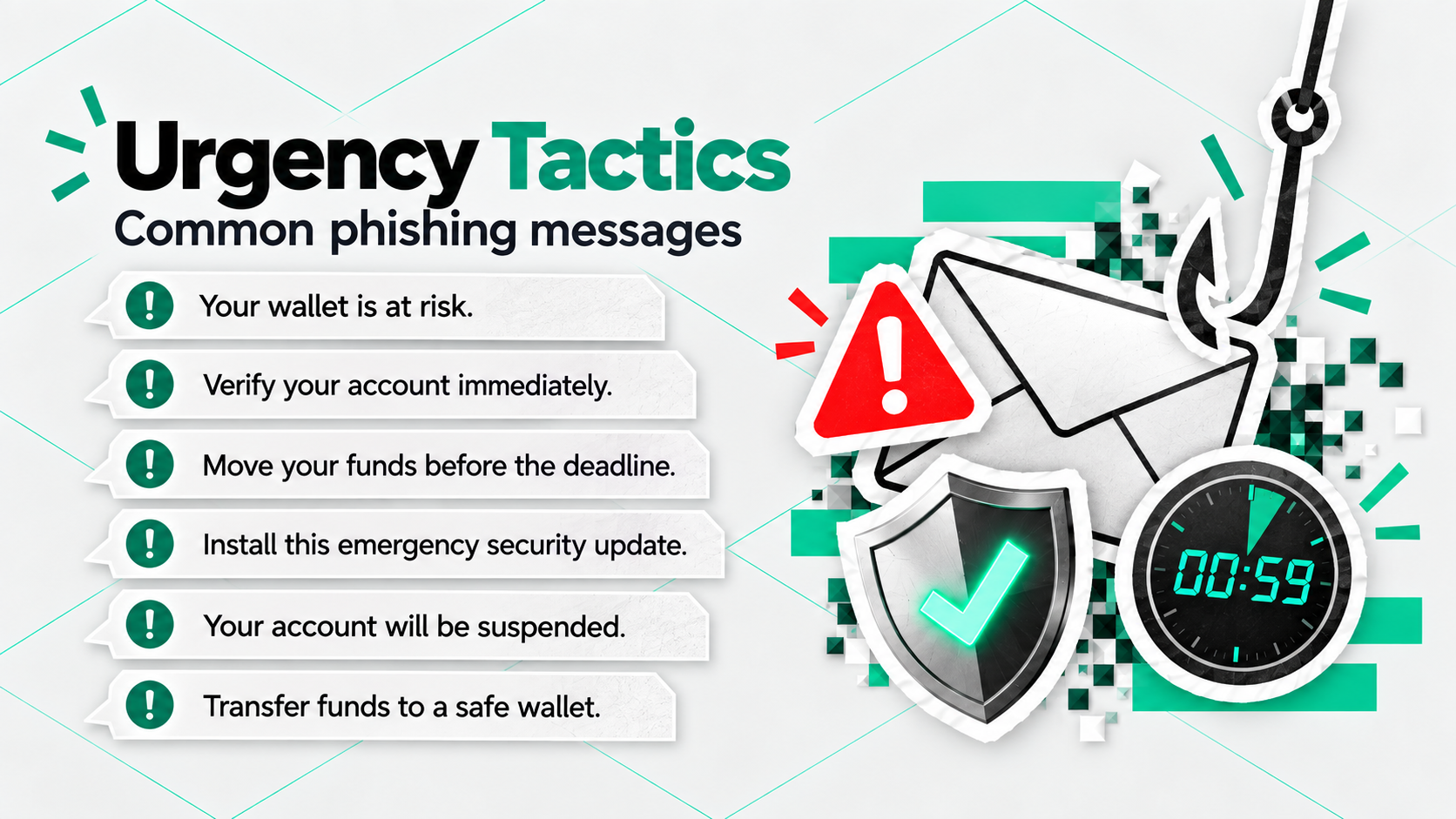
A genuine security issue can be urgent. That does not mean the email itself should become your verification channel.
Open the official app or website independently and check whether the same warning appears there.
Inspect Links Before Clicking
On desktop, hover over a link and check its actual destination.
Watch for:
- misspelled domains;
- unusual subdomains;
- extra words inserted into a familiar brand name;
- shortened URLs;
- domains unrelated to the company sending the message.
Quehenberger recommends treating this as only the first check:
“For anything security- or wallet-related, it is safer to open the official app or website independently.”
Typing a known address yourself or using a trusted bookmark reduces your dependence on the email itself.
Crypto Email Requests That Should Make You Stop Immediately
Any unexpected request for a seed phrase, private key, wallet backup, remote access, fund transfer, software installation, or wallet signature should be treated as a serious security warning. Legitimate support teams do not need your recovery secret to investigate an account or protect your funds.
Quehenberger describes these requests as absolute stop signals:
“Any request for a seed phrase, private key, or wallet backup should be an immediate stop signal. The same applies to unexpected requests for remote access, transfers to a so-called ‘safe’ or ‘verification’ wallet, software installations, or transaction and wallet signatures you did not initiate or fully understand.”
That rule is more reliable than trying to decide whether a logo, sender name, or email template looks convincing.
What to Do After Clicking a Phishing Link
Clicking a malicious link does not automatically mean your wallet has been compromised. The next steps depend on what happened after the click. Entering a recovery phrase, installing malware, transferring funds, or approving an unexpected wallet action creates a much more serious risk than simply opening a webpage.
| What happened | Risk | What to do next |
|---|---|---|
| You only received or opened the email | Low | Delete or report the message and do not follow its instructions |
| You clicked the link but entered nothing | Usually limited | Close the page and check whether anything was downloaded |
| A file downloaded but was not opened | Elevated | Delete it without executing it and run a security check |
| You installed or executed unfamiliar software | Serious | Stop sensitive activity on the device and inspect it for malware |
| You connected a wallet or approved an unexpected permission or signature | Serious | Review the approved action and revoke suspicious permissions where possible |
| You entered a seed phrase or private key | Critical | Treat the wallet as compromised and move remaining assets to a new wallet created on a clean device |
Quehenberger explains:
“If you only clicked the link but did not enter a seed phrase or private key, download or execute anything, or approve a transaction or signature, the risk is usually much lower.”
The situation changes once an attacker receives something they can use:
“It becomes genuinely dangerous once sensitive wallet information is disclosed, malicious software is installed, or a transaction, signature, or permission is approved.”
If You Shared a Seed Phrase or Private Key
Do not try to make the existing wallet safe by changing a PIN or reinstalling an application.
A recovery phrase or private key cannot be made secret again after someone else has seen it.
Create a new wallet with a completely new recovery phrase using a trusted device and transfer any remaining assets.
What to Do If Crypto Has Already Been Stolen
If funds have already moved, preserve evidence and report the incident as quickly as possible. Blockchain transactions cannot simply be reversed, but early reporting may give exchanges, investigators, compliance teams, and law enforcement more opportunities to identify or intercept stolen assets.
ChangeNOW has encountered this problem in real investigations.
In one documented case, a victim lost more than $220,000 after following a malicious link that impersonated a trusted crypto platform. ChangeNOW later detected an attempt to move the stolen assets through its infrastructure, froze the funds, and assisted with their return in coordination with law enforcement.
Quehenberger recommends preserving as much information as possible immediately after the theft:
“Save the transaction information you have, including wallet addresses, transaction hashes, wallet activity history, screenshots, and communications between the perpetrators and the victim, and report the case to law enforcement.”
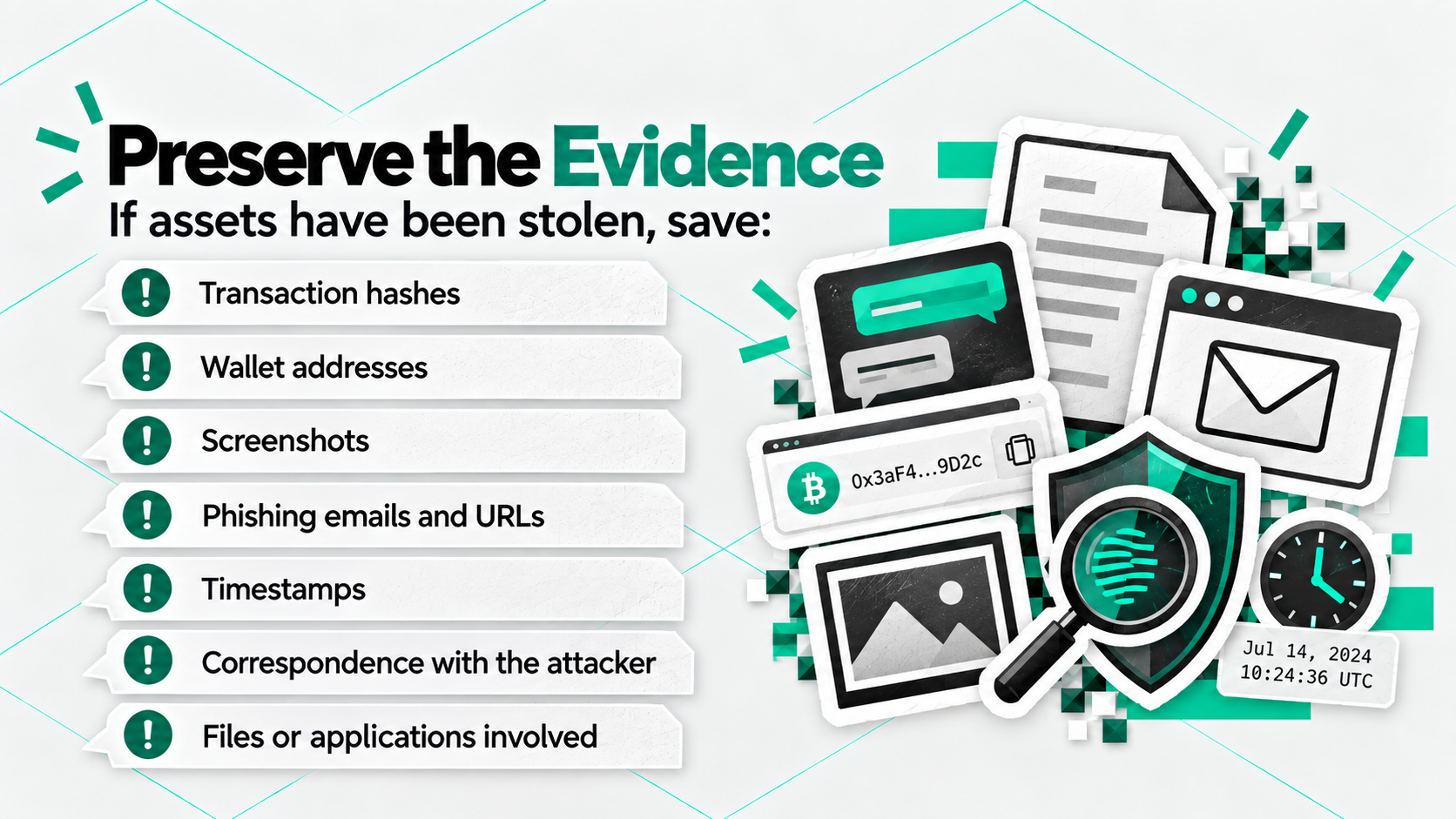
Recovery cannot be guaranteed, but losing the evidence or delaying the report can make investigation more difficult.
How to Verify a Crypto Security Email Safely
Use the email as an alert, not as your only source of verification. Sensitive actions should be confirmed through a second trusted channel before you install software, connect a wallet, transfer funds, or sign anything.
A simple verification process looks like this:
- Stop before following the instructions.
- Check the complete sender and Reply-To addresses.
- Inspect the link destination without opening it.
- Open the company's official app or website independently.
- Look for the same security notice in official announcements.
- Consider whether the requested action is normal for the service.
- Never disclose a seed phrase, recovery phrase, private key, or wallet backup.
- Do not approve a transaction or wallet signature you did not initiate and understand.
Quehenberger emphasizes that users do not need specialist knowledge to follow these steps:
“You do not need to be an IT expert to protect yourself effectively. Simple habits such as checking sender addresses, looking at links before clicking, avoiding unexpected downloads, and questioning unusual requests can already prevent many attacks. Security starts with awareness, caution, and a few basic routines that everyone can apply.”
30-Second Crypto Phishing Checklist
Before acting on an unexpected crypto email, ask:
- Did I expect this message?
- Is it using fear or urgency to make me act quickly?
- Does the sender domain look correct?
- Does the Reply-To address match?
- Where does the link actually lead?
- Can I verify the warning through the official app or website?
- Am I being asked to reveal a seed phrase, private key, or backup?
- Am I being asked to install software?
- Am I being told to transfer assets to a “safe” wallet?
- Am I being asked to approve a transaction, permission, or signature I did not initiate?
STOP RULE: If a message asks for wallet secrets, an unexpected transfer, unfamiliar software, or an unexplained signature, do not continue until the request has been independently verified.
Should You Avoid All Links in Crypto Emails?
Not every email link is malicious, but security-sensitive actions deserve a higher standard of verification. A public blog link and a message asking you to restore a wallet or transfer funds carry very different levels of risk.
Quehenberger says users do not necessarily need to stop clicking email links entirely.
Checking the real destination before clicking is a useful first step.
For anything involving wallet access, security changes, recovery information, software installation, transfers, or signatures, the safer option is to navigate to the official service independently.
A useful rule is:
An email can tell you that something needs attention. It should not be the only evidence you use to decide that a sensitive crypto action is legitimate.


